Pixel art for vibe coders
Vibe-code your game. PixelVibing draws the pixel art.
You build the game with your AI assistant; PixelVibing draws every sprite, creature, tile and animation in one style. Want control? The Editor generates from your references and lets you fine-tune every pixel.
About 14 free images, no card needed

One sentence.
“A warrior fighting a dragon on a mountain pass.”
Nobody drew a pixel of it: every sprite and every move was made by PixelVibing from that line, then put together into one scene.
You can't draw? You don't have to.
No art skills, no prompt tricks, no settings to learn. Say what your game needs; PixelVibing draws it.
Describe your game
A few sentences are enough. PixelVibing turns them into your game's style guide: the camera, palette, outline, shading and scale every asset will share.
Ask for what you need
A shopkeeper, a slime, a stretch of beach: in plain words, with a reference image if you have one.
Play it
It lands in your project as true pixel art at the right size, ready for PixiJS, Phaser or Godot.
Vibe-code the game. PixelVibing draws the art.
One command connects Claude Code or Codex to PixelVibing. From then on your assistant makes the art as it writes the code: it sees an asset is missing, generates it in your game's style and puts it in your project, without stopping to ask you.
- A playable 2D game in an afternoon: your assistant writes the code, PixelVibing draws every sprite, tile, creature and level.
- The game never waits on art: every feature is a command or a tool your assistant can call.
- One style guide your assistant reads before every asset, so the tenth sprite matches the first.
- Straight into your engine: your assistant exports sheets for PixiJS, Phaser and Godot too.
- Make a cozy harbour fishing game, with all of its art.
- Reading your game's style guideits camera, palette and scale
pixel-vibing-cli guide show - Drawing a fish market stallfish-stall.png, 2×2 tiles
pixel-vibing-cli generate object --instruction "a market stall selling fresh fish" --size 2x2 --yes - Drawing a friendly foxfox.png
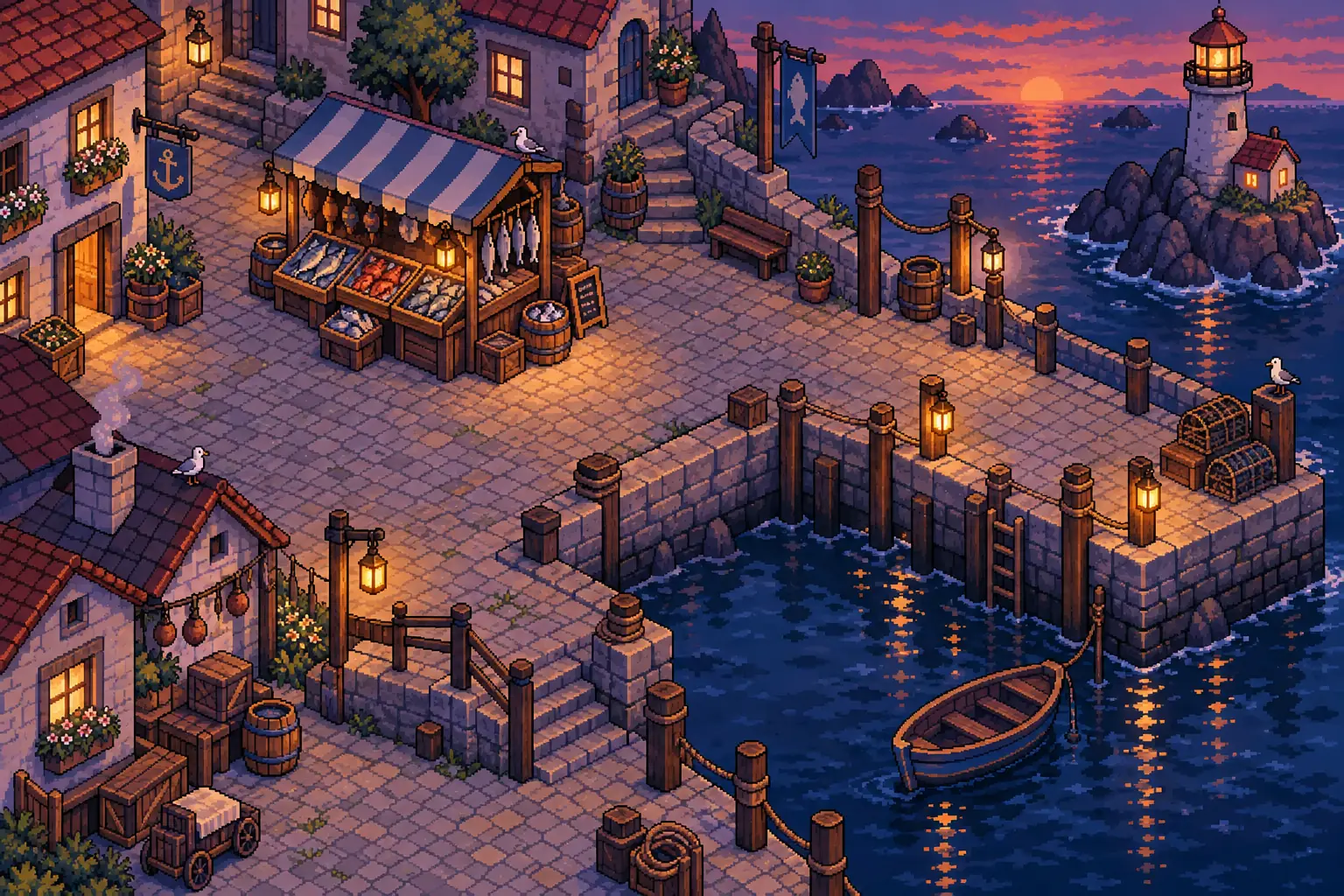
pixel-vibing-cli generate creature --instruction "a small friendly orange fox" --yes - Designing the harbour squarea 6×4 concept art, as pixel art
pixel-vibing-cli generate concept-art --instruction "a harbour square at dusk" --pixel-art --tiles 6x4 --yes - Exporting it all for Phaser34 pictures on 1 sheet
pixel-vibing-cli export phaser
Start from your coding assistant in one command
PixelVibing works where you already build. Install the CLI, run setup in your game's folder, and your assistant can draw from then on.
npm install -g @pixelvibing/cli
cd my-game
pixel-vibing-cli setup
Using Codex? Run pixel-vibing-cli setup --harness codex.
What setup does
- Signs you in, in your browser: no password, no key to paste.
- Links the folder to a PixelVibing project and its style guide.
- Installs the PixelVibing Skills for Claude Code or Codex.
- Connects the PixelVibing MCP server, with your token kept out of every file.
Then just ask
Make a 2×1 wooden market stall for the harbour, with a striped awning.
Your assistant generates it, pulls it into your project and keeps the style guide true as the game grows.
Or add the MCP server yourself
No setup to run: three steps and your assistant can make your game's art.
- Sign in to the web app and create an account token, under Account → Account tokens.
- Paste this into your terminal, with your token in place of YOUR_TOKEN:
Add PixelVibing to Claude Code claude mcp add --transport http pixelvibing https://mcp.pixelvibing.com --header "Authorization: Bearer YOUR_TOKEN" - Open Claude Code in your game's folder and ask for your first asset.
Done this way, the token stays in your terminal's history and in Claude Code's settings; pixel-vibing-cli setup keeps it out of both. You can revoke a token any time under Account → Account tokens.
- Sign in to the web app and create an account token, under Account → Account tokens.
- Paste this into your terminal, with your token in place of YOUR_TOKEN:
Add PixelVibing to Codex export PIXELVIBING_TOKEN=YOUR_TOKEN codex mcp add pixelvibing --url https://mcp.pixelvibing.com --bearer-token-env-var PIXELVIBING_TOKEN - Open Codex in your game's folder and ask for your first asset.
That export is for bash or zsh; in PowerShell, run $env:PIXELVIBING_TOKEN = 'YOUR_TOKEN' instead. Codex reads the token from PIXELVIBING_TOKEN each time it connects, so keep it set in your shell's profile. Done this way, the token stays in your shell's history and in that profile; pixel-vibing-cli setup --harness codex keeps it out of both. You can revoke a token any time under Account → Account tokens.
One game's art, made by PixelVibing
Every asset below was generated by PixelVibing for one game, from one style guide, with the same commands your assistant runs.
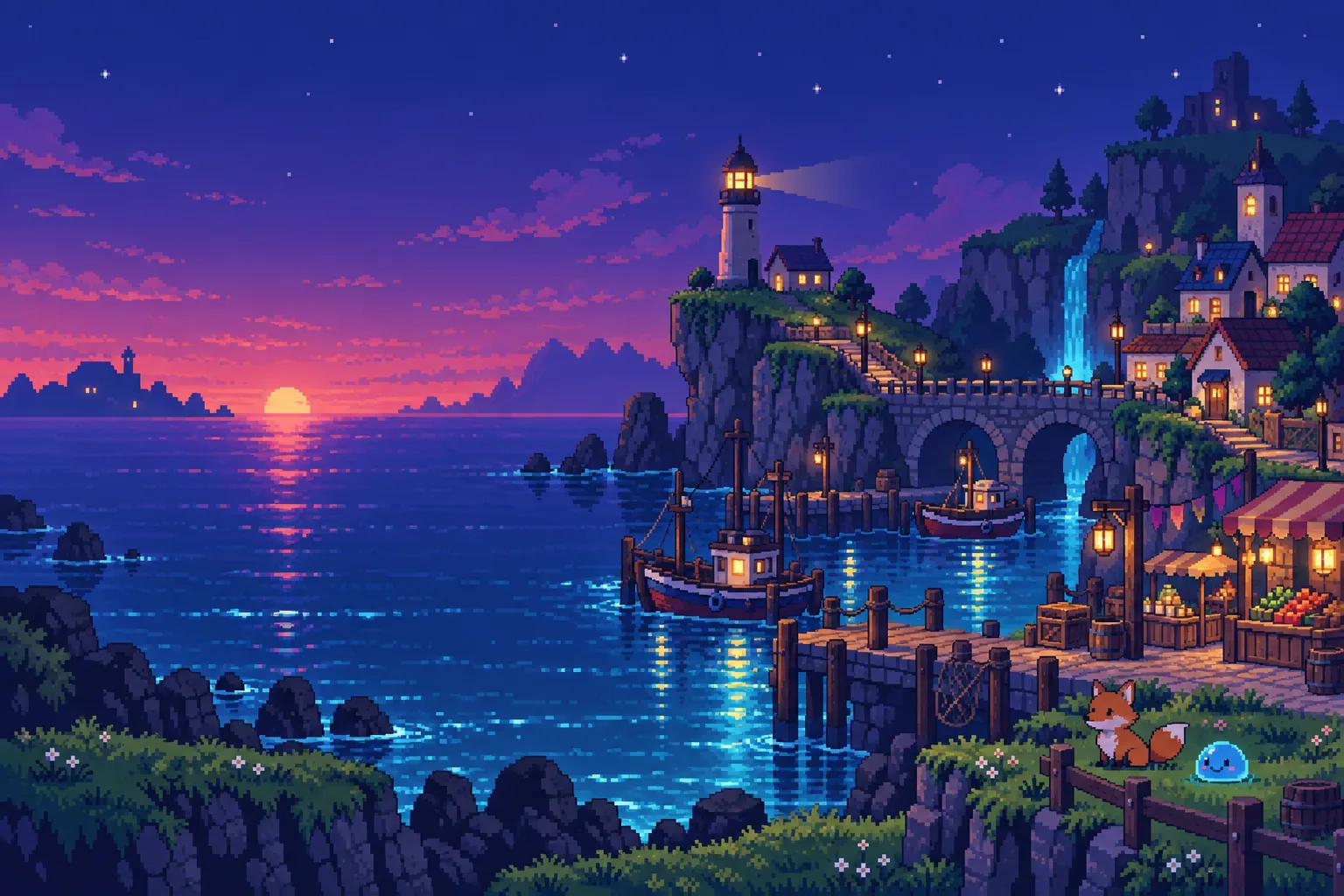
Concept art, 6×4 tiles of pixel art
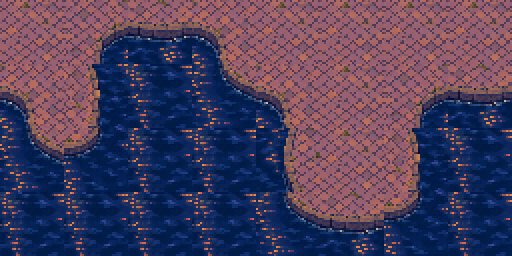
A terrain set: sixteen tiles that join in any layout
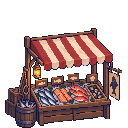
An object, 2×2 tiles
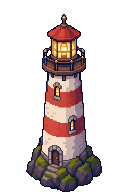
A tall object, 2×3 tiles

A creature, walking
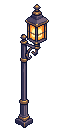
A lamp post, 1×2 tiles

A prop, 1×1 tile
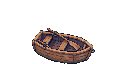
A boat, 2×1 tiles

A second creature
It moves, too
Walk cycles, idles and all eight facings in one step, ready for your engine's sprite sheets. The part that's hardest to draw by hand is done for you.
A whole scene, alive
A trot, animated

Eight directions

A bounce, animated

The Editor: generate from references, then fine-tune every pixel
The desktop Editor is your art toolkit, open on the same project your assistant works in. Bring in a reference, like a screenshot of a game you love, a photo or a rough sketch, and generate from it in your game's style. Then fine-tune anything PixelVibing made, pixel by pixel, and paint your maps with it.

Library
Every reference, concept art, object, creature and terrain set in your project. Take objects out of a reference, or make terrain from its grounds.
Workbench
A full pixel editor to fine-tune any asset: its pixels, its palette, its eight views and its animation frames.
Map editor
Paint terrain and place objects on a real grid, level by level, then walk a character over it.
Generate from references
Words and reference images become an object, a creature or concept art, in the style of the rest.
- Windows
- macOS
- Linux
The Editor runs on your computer, not in the browser, on the same folder your assistant works in. From your game's folder, one command opens it:
cd my-game
pixel-vibing-cli editor
Everything your 2D game needs
Characters, monsters, props, ground and whole levels, drawn from one style guide so they all belong together.
Objects and props
Market stalls, crates, furniture and trees, at their size in tiles.

Creatures
Characters and monsters from words and your references.
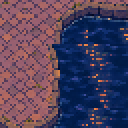
Terrain sets
Sixteen tiles between two grounds that join in any layout: water and stone, grass and sand.
Concept art
Reference art, sample screens and whole scenes: draw the rest from them, or take a scene apart into its objects and terrain.
Any footprint
A 2×3 lighthouse, a 2×1 boat, a 1×2 lamp post: each object at the size you give it in tiles.
Animations and rotations
Idle and walk cycles, and all eight facings of a character, in one step.
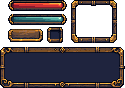
UI
Health and mana bars, buttons, slots and frames, laid out where your screen has them and drawn together so they match, each with the insets that stretch it.
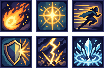
Skill icons
A hotbar's worth in one go: up to sixteen badges from their names, one size and one style.

Item icons
Potions, keys, coins and scrolls for your inventory, each alone and at one size.
Sketch your interface. Get a matching set.
Lay shapes out where your HUD and menus go and say what each one is. Add a reference, a material or a frame you like, and the whole set takes its look. The platform draws it in one go, as matching pixel art, and hands you every piece cut out on its own, where you put it.
Your style, from one image
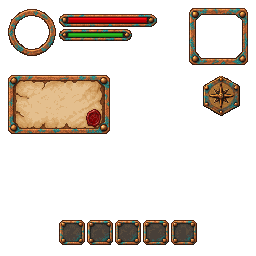
A style from a reference
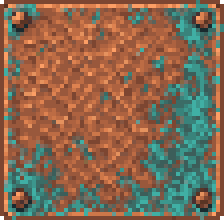
The words were only “an in-game HUD”. The look came from one material the platform drew first: copper with a verdigris patina, riveted at the corners. Every frame took it.
In the style of
-
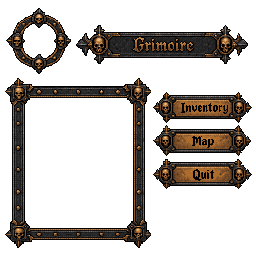
Captions and windows
A caption is drawn as you write it. A frame left hollow keeps its inside transparent, for the game behind it.
-
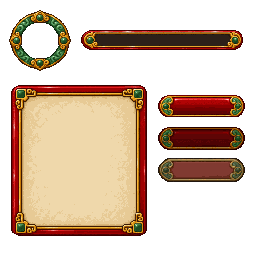
States from a note
Three buttons, three notes: normal, pressed, disabled. One button drawn in its three states, to match the frame beside it.
- Rectangles, rounded rectangles, ellipses and polygons: up to 16 shapes on a 128 or 256 px canvas.
- A caption is drawn exactly as written; a label is only a name, never drawn.
- A hollow frame keeps its inside transparent, and a border width gives the piece nine-slice insets.
- Up to three style references set the materials, the frames and the way of drawing.
- Every piece comes cut out on its own, with where it sits, ready for your engine.
- In the web app, the desktop Editor, the command line and the MCP server.
Sound effects and music, made for your game.
Describe a sound and hear it in seconds: a coin, a sword, a spell, the sea under a pier. Ask for a theme for your dungeon or your boss fight. Every sound below was made by the platform from the words under its title, kept in your Library and ready to download.
Sound effects about 62 a month on Hobby
Coin pickup
“a retro game coin pickup, a bright two-note chime”
0:00 / 0:01Sword strike
“a sword swung through the air, then striking a wooden shield”
0:00 / 0:01Spell cast
“a magic spell cast: a rising shimmer that bursts into sparkles”
0:00 / 0:02Creaking door
“a heavy wooden door creaks open slowly”
0:00 / 0:03Harbour waves Loops seamlessly
“gentle waves lapping at a wooden harbour pier, distant seagulls”
0:00 / 0:08
Music about 5 minutes a month on Hobby
Harbour tune
“a calm harbour tune on a lute and soft strings, instrumental, loopable”
0:00 / 0:30Into the dungeon
“a dark, slow dungeon exploration theme in 16-bit chiptune, ominous bass, instrumental, loopable”
0:00 / 0:30Boss battle
“a fast, heroic boss battle theme in 16-bit chiptune, driving drums and arpeggios, instrumental”
0:00 / 0:30
Narration about 50 a month on Hobby
The keeper's lantern
“Long ago, when the tides still answered to the old gods, a lighthouse keeper found a map washed up on the rocks. Tonight, you take up his lantern.”
0:00 / 0:09
- Sound effects from half a second to 22 seconds, or the length that suits the sound.
- Ambiences that loop seamlessly, for a level that plays for minutes.
- Music from a description: the genre, the mood, the instruments.
- Narration and dialogue spoken in 20 voices.
- Every sound is kept in your Library, to play again and download as MP3.
Spells, hits and explosions, animated.
Pick a ready effect or build one from tuned parts, around one of your sprites or on its own, and it plays in seconds. Every effect below was made by the platform from the preset or the parts under its title, kept in your Library with each frame's timing, ready for your engine.
about 125 a month on Hobby

Explosion Plays once
Preset:
explosion
Lightning strike Plays once
Preset:
lightning strike
Portal Loops
Preset:
portal
Healing light Loops
Preset:
heal pillar
Frost burst Plays once
Parts:
ice shattershockwave ring · frosttwinkles · frost
Arcane circle Loops
Parts:
rune circle · arcaneorbit motes · arcane


- Seventeen ready effects, and over a hundred parts to build your own: fire, ice, lightning, poison, holy light and more.
- Each part tuned by its colour, size, amount, speed and when it plays.
- Drawn around one of your sprites, or on its own.
- Every frame kept with its time and anchor; download a sheet and its JSON for your engine.
- Every effect costs the same, whatever it holds.
One style guide. The whole game.
Asset packs from different artists never quite match. PixelVibing draws everything from your game's own style guide, written from your idea and editable any time, so art made months apart still looks like one game.
- It states your camera, palette, outline, shading and scale.
- It grows with your game: a new place, a new rule, a new palette.
- Your coding assistant keeps it true as the game changes.
True pixel art, not pixel-ish
Every asset is drawn on the pixel grid at the size it has in your game: one flat colour per pixel, hard edges, no blur and no anti-aliasing. It scales up crisp and sits on your tiles as it should.
- Exact size in tiles, base on the ground
- Transparent where it should be
- No stray half-pixels to clean up
Ready for your engine
Export sprite sheets and placed sprites for PixiJS, Phaser and Godot, or a simple default format any engine can read.
- PixiJS
- Phaser
- Godot
- JSON
Work wherever you like
One account and the same projects, from every door.
Web app
Create projects, edit style guides and generate in your browser.
Command line
Generate, list and pull assets from your terminal or your CI.
MCP server
Let Claude Code, Codex and other assistants generate for your game.
Desktop Editor
The art toolkit: generate from references, fine-tune every pixel, paint your maps.
Your whole game's art, for less than one commission
Start free. Take a plan for a fresh usage limit every month, or a pack that never expires. Every generation tells you what it uses of your limit before it starts.
-
Hobby
$5.90 a month
About 110 images a month
Subscribe -
Recommended
Pro
$10.90 a month
About 238 images a month
Subscribe -
Studio
$27.90 a month
About 623 images a month
Subscribe
Every plan includes
- A fresh usage limit every month for as long as the plan runs
- Every kind of asset: objects, creatures, terrain, textures and concept art
- The web app, the command line, the MCP server and the Skills for Claude Code and Codex
- The desktop Editor: generation from references, fine-tuning in its Workbench, its map editor and Library
- Commercial use: what you make is yours
- Packs on top whenever you need more
- Change or cancel whenever you like
Packs
Added to your limit once, to use when you like. They never expire.
Small
$3.90
About 57 images
Medium
$8.90
About 149 images
Large
$18.90
About 313 images
What a month of Hobby makes
| An object or a prop | about 110 |
|---|---|
| A creature | about 110 |
| A terrain set | about 110 |
| A texture | about 23 |
| Concept art | about 110 |
| A UI | about 110 |
| Writing a style guide | about 500 |
Tutorials
Step-by-step guides to making your game's pixel art with PixelVibing.
Frequently asked questions
I can't draw. Can I still make my game?
Yes, that's who PixelVibing is for. Describe your game in a few sentences, ask for what you need in plain words, and every asset comes out in one style. You never touch a pixel unless you want to.
What is PixelVibing?
An AI pixel art generator for people who build games but don't draw: objects, creatures, terrain, textures and concept art, all in the style your game's style guide sets, so everything you make fits together.
Can I edit what it makes?
Yes. The desktop Editor opens every asset in a full pixel editor, with its pixels, palette, eight views and animation frames, and generates new ones from your own references.
Do I need to vibe-code?
No. Your assistant can make the art as it builds, but you can also generate by hand in the web app and the desktop Editor.
Can I sell a game made with it?
Yes. What you make is yours, for commercial use too.
Is it real pixel art?
Yes. Every asset is drawn on the pixel grid at its size in your game, with one flat colour per pixel and no blur or anti-aliasing.
Do I need to write prompts?
No. Say what you want in plain words and add a reference if you have one. The platform takes care of the rest.
Does it work with Claude Code and Codex?
Yes. Run pixel-vibing-cli setup in your game's folder: it installs the Skills and connects the MCP server, then you ask your assistant for the art.
Which engines does it export to?
PixiJS, Phaser and Godot, and a simple default format that is easy to adapt to any other engine.
How much does it cost?
Every account starts free. After that, take a monthly plan or buy a pack that never expires. Every generation says what it uses of your limit before it starts.
Do I need API keys?
No. Sign in and generate: there is no key to find, paste or pay for.
Stop waiting on art. Start your game.
Start free in the browser, or set it up in your coding assistant in a minute.
Start free